
Learn What is M3U Link in IPTV? Discover how it works, its benefits, formats, and how to use it safely for the best streaming experience.
📊 Article Outline
| Heading Level | Topic |
|---|---|
| H1 | What is M3U Link in IPTV? |
| H2 | Introduction to M3U Link in IPTV |
| H2 | What is M3U Link in IPTV? (Definition Explained) |
| H3 | Meaning of M3U |
| H3 | How M3U Files Work |
| H2 | Types of M3U Links |
| H3 | Static M3U Links |
| H3 | Dynamic M3U Links |
| H2 | Structure of an M3U File |
| H3 | Basic Format Breakdown |
| H3 | Extended M3U (EXTM3U) |
| H2 | How to Use an M3U Link in IPTV |
| H3 | On Android Devices |
| H3 | On Smart TVs |
| H3 | On PC and Mac |
| H2 | Benefits of Using M3U Links |
| H2 | Common Issues with M3U Links |
| H2 | Free vs Paid M3U Links |
| H2 | Security and Safety Tips |
| H2 | Best IPTV Players for M3U Links |
| H2 | Future of M3U in IPTV |
| H2 | FAQs |
| H2 | Conclusion |
📺 Introduction to M3U Link in IPTV
If you’re getting into IPTV streaming, you’ve probably heard about M3U links. But many users still ask: What is M3U Link in IPTV?
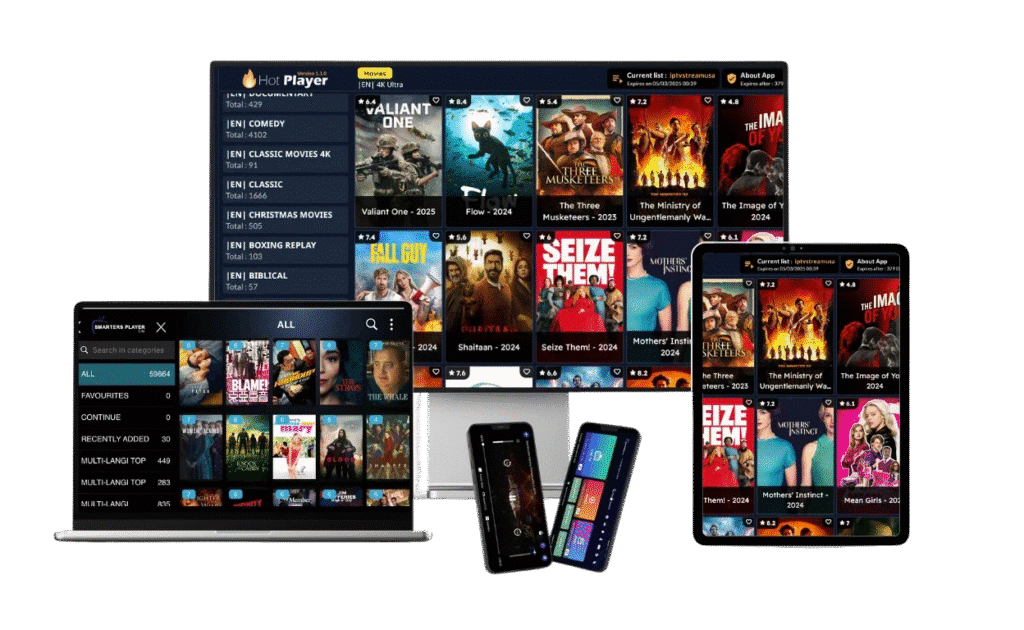
Simply put, an M3U link is the backbone of IPTV streaming. It acts like a playlist that tells your IPTV app where to find TV channels, movies, and shows online.
In today’s streaming world, M3U links are widely used because they are simple, flexible, and compatible with many IPTV players. Whether you’re using a phone, Smart TV, or computer, understanding how M3U works is essential.
🔍 What is M3U Link in IPTV? (Definition Explained)
📄 Meaning of M3U
M3U stands for MP3 URL, but it’s no longer limited to audio. Today, it’s used for video streaming as well.
An M3U link is basically a text file or URL that contains:
- Channel names
- Streaming links
- Metadata (like logos and categories)
Instead of storing the actual content, it points your IPTV player to where the content is hosted.
⚙️ How M3U Files Work
Here’s how it works in simple steps:
- You enter the M3U link into an IPTV app
- The app reads the playlist
- Channels are loaded instantly
- You start streaming
Think of it like a playlist on Spotify—but for live TV.
📂 Types of M3U Links
📌 Static M3U Links
- Fixed playlist
- Doesn’t update automatically
- Requires manual refresh
These are often used for free IPTV lists.
🔄 Dynamic M3U Links
- Auto-updated playlists
- Provided by IPTV services
- More reliable
Most premium IPTV providers use dynamic M3U links for better performance.
🧩 Structure of an M3U File
📑 Basic Format Breakdown
A simple M3U file looks like this:
#EXTM3U
#EXTINF:-1,Channel Name
http://stream-link.com/live
Each line has a purpose:
#EXTM3U→ Header#EXTINF→ Channel info- URL → Stream link
📡 Extended M3U (EXTM3U)
The extended version includes:
- Logos
- Categories
- TV guide info
This makes navigation easier and more user-friendly.
📲 How to Use an M3U Link in IPTV
📱 On Android Devices
- Install IPTV app (e.g., IPTV Smarters)
- Paste M3U URL
- Load channels
📺 On Smart TVs
- Use apps like Smart IPTV
- Upload playlist via portal
- Sync and watch
💻 On PC and Mac
- Use VLC Media Player
- Open network stream
- Paste M3U link
✅ Benefits of Using M3U Links
- Easy to use
- Works on multiple devices
- Supports live TV and VOD
- Customizable playlists
M3U links are one of the simplest ways to access IPTV content.
⚠️ Common Issues with M3U Links
Users may face:
- Broken channels
- Slow loading
- Expired links
These issues usually happen with free or low-quality playlists.
💰 Free vs Paid M3U Links
🆓 Free M3U Links
- No cost
- Unstable streams
- Limited channels
💎 Paid M3U Links
- High-quality streams
- Stable servers
- Full channel lists
Premium links offer a much better experience overall.
🔒 Security and Safety Tips
Using IPTV safely is important. Follow these tips:
- Avoid unknown sources
- Use a VPN
- Don’t share your M3U link
- Install trusted apps only
🏆 Best IPTV Players for M3U Links
Some top players include:
- IPTV Smarters Pro
- TiviMate
- VLC Media Player
- GSE Smart IPTV
These apps support M3U links and offer smooth playback.
🚀 Future of M3U in IPTV
M3U technology continues to improve with:
- Better streaming quality
- Faster loading speeds
- Integration with AI recommendations
It will remain a key part of IPTV for years to come.
❓ FAQs
1. What is M3U Link in IPTV used for?
It is used to stream live TV channels and video content through IPTV apps.
2. Is M3U link legal?
Yes, but the legality depends on the content being streamed.
3. Can I create my own M3U file?
Yes, you can manually create one using a text editor.
4. Why is my M3U link not working?
It may be expired, blocked, or the server is down.
5. Which app supports M3U links best?
TiviMate and IPTV Smarters Pro are top choices.
6. Do M3U links expire?
Yes, especially paid or private IPTV links.
✅ Conclusion
Understanding What is M3U Link in IPTV? is essential for anyone who wants to enjoy modern streaming. These links act as the bridge between your IPTV app and the content you watch.
Whether you choose free or paid options, using a reliable M3U link ensures a smooth and enjoyable viewing experience. As IPTV continues to grow, mastering M3U links will help you stay ahead in the streaming world.
🌐 Learn more about M3U format here: https://en.wikipedia.org/wiki/M3U