
Learn How to Setup IPTV on Any Device with our complete guide. Follow 9 simple steps for Android, iOS, Smart TVs, and PCs to start streaming live TV instantly.
📊 Article Outline
| Heading Level | Topic |
|---|---|
| H1 | How to Setup IPTV on Any Device |
| H2 | Introduction to Setting Up IPTV |
| H2 | What You Need Before Starting |
| H3 | Internet Requirements |
| H3 | IPTV Subscription or M3U Link |
| H3 | Compatible Devices |
| H2 | IPTV Apps to Use on Any Device |
| H3 | Android Devices |
| H3 | iOS Devices |
| H3 | Smart TVs |
| H3 | PC and Mac |
| H2 | Step-by-Step Guide to Setup IPTV |
| H3 | Step 1: Install IPTV App |
| H3 | Step 2: Add M3U Link or Xtream Codes |
| H3 | Step 3: Configure Settings |
| H3 | Step 4: Test and Stream |
| H2 | Tips for Smooth IPTV Setup |
| H3 | Check Internet Speed |
| H3 | Use VPN for Security |
| H3 | Keep Apps Updated |
| H2 | Troubleshooting Common Issues |
| H3 | Channels Not Loading |
| H3 | Buffering Problems |
| H3 | App Crashes |
| H2 | Best Practices for IPTV Setup |
| H2 | FAQs |
| H2 | Conclusion |
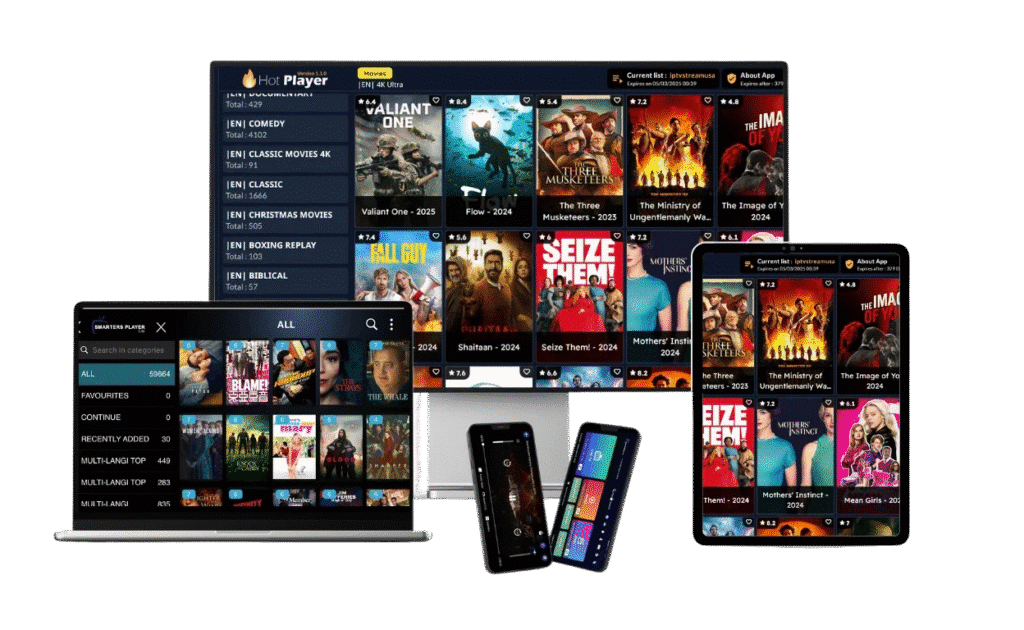
📺 Introduction to Setting Up IPTV
Streaming TV over the internet has become the new standard, and IPTV is a major part of it. Knowing How to Setup IPTV on Any Device allows you to watch live TV, movies, and series without being tied to cable or satellite.
With the right tools, apps, and setup steps, you can enjoy seamless streaming on Android phones, iPhones, Smart TVs, and PCs alike.
🛠️ What You Need Before Starting
Before you begin the setup, make sure you have:
🌐 Internet Requirements
- Minimum 10 Mbps for HD streaming
- 25 Mbps or more for 4K content
- Stable connection
📄 IPTV Subscription or M3U Link
- A working IPTV subscription or M3U link is required
- Paid services are more reliable than free links
📱 Compatible Devices
- Android smartphones and tablets
- iPhones and iPads
- Smart TVs (Samsung, LG, Android TV)
- Computers (Windows, Mac)
📲 IPTV Apps to Use on Any Device
🤖 Android Devices
- TiviMate IPTV Player
- IPTV Smarters Pro
- GSE Smart IPTV
🍏 iOS Devices
- GSE Smart IPTV
- IPTV Smarters Pro
- nPlayer
📺 Smart TVs
- Smart IPTV (SIPTV)
- Flix IPTV
- Smart TV native apps
💻 PC and Mac
- VLC Media Player
- Kodi with PVR addon
- Perfect Player
📌 Step-by-Step Guide to Setup IPTV
Step 1: Install IPTV App
- Download from Google Play, App Store, or official website
- Avoid third-party APKs unless verified
Step 2: Add M3U Link or Xtream Codes
- Open the app
- Enter your subscription credentials or paste the M3U URL
- Load channels
Step 3: Configure Settings
- Select streaming quality (HD/4K)
- Enable EPG (TV guide) if available
- Adjust interface preferences
Step 4: Test and Stream
- Play a few channels to check for buffering or errors
- Ensure smooth streaming before regular use
💡 Tips for Smooth IPTV Setup
🌐 Check Internet Speed
- Stable high-speed internet reduces buffering and crashes
🛡️ Use VPN for Security
- Encrypts your traffic
- Hides IP address
- Protects from ISP throttling
⬆️ Keep Apps Updated
- Updates fix bugs and improve compatibility
- Ensure app supports latest IPTV features
⚠️ Troubleshooting Common Issues
Channels Not Loading
- Refresh playlist
- Check subscription status
Buffering Problems
- Reduce streaming quality
- Check internet speed
App Crashes
- Clear cache
- Reinstall the app
🏆 Best Practices for IPTV Setup
- Always use official apps or verified APKs
- Prefer paid IPTV subscriptions for stability
- Avoid public Wi-Fi while streaming
- Regularly update devices and apps
❓ FAQs
1. Can I setup IPTV on any device?
Yes, IPTV works on Android, iOS, Smart TVs, and PCs with compatible apps.
2. Do I need a subscription to use IPTV?
Yes, a subscription or valid M3U link is required for reliable streaming.
3. Which IPTV app is best for setup?
TiviMate and IPTV Smarters Pro are top-rated across devices.
4. Can I use IPTV for free?
Free IPTV links exist but are often unreliable and risky.
5. Is IPTV legal?
IPTV itself is legal; only the content you stream must be authorized.
6. Do I need VPN for IPTV?
While optional, a VPN improves privacy, security, and prevents ISP throttling.
✅ Conclusion
Knowing How to Setup IPTV on Any Device ensures that you can enjoy live TV, movies, and shows anytime, anywhere. By following these steps, using compatible apps, and prioritizing security, your IPTV experience will be smooth, safe, and fully enjoyable.
🌐 Learn more about IPTV apps here: https://en.wikipedia.org/wiki/Internet_Protocol_television
🌐 Learn more about IPTV apps here:https://anubisiptv.online/best-internet-speed-for-iptv/